Technology Lifecycle Planning That Reduces Costs and Supports Business Growth
Most people have owned a favorite pair of socks with a hole in them.
You know they should probably be replaced.
But they're still usable.
So you keep wearing them.
Many organizations treat aging technology the same way.
A workstation takes a little longer to start. A server occasionally slows down. Applications freeze once in a while. Employees learn the workarounds and keep moving.
Nothing feels urgent.
Nothing appears completely broken.
So the technology stays in place.
The problem is that outdated technology doesn't just sit there quietly.
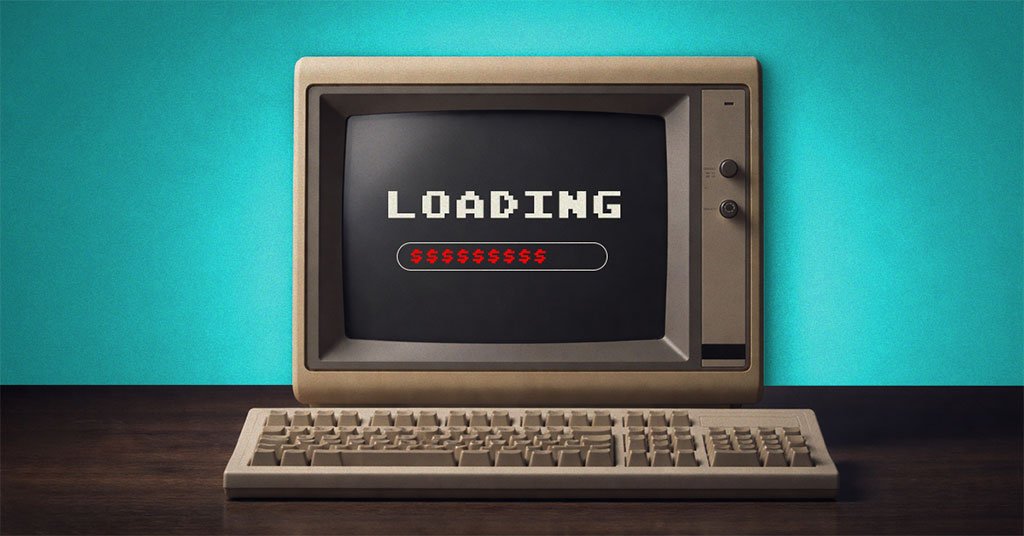
It continues generating costs every month - often in ways that aren't immediately visible.
And over time, those hidden costs can become much larger than the cost of replacing the technology itself.
The Hidden Cost of Aging Technology
Most organizations evaluate technology based on one simple question:
"Is it still working?"
A better question is:
"Is it still creating value?"
Because technology doesn't have to fail completely to become expensive.
Older systems often create costs through:
- Reduced employee productivity
- Increased downtime
- Higher support requirements
- Greater cybersecurity risk
- Increased energy consumption
- Limited compatibility with modern tools
- Delayed technology initiatives
What is technology lifecycle planning?
Technology lifecycle planning is the process of evaluating, maintaining, upgrading, and replacing technology assets at the appropriate time to reduce costs, improve performance, minimize risk, and support business objectives.
Organizations throughout Oregon, Washington, Idaho, and beyond are increasingly discovering that aging technology affects much more than IT budgets.
It affects growth.
Cost #1: Lost Productivity Happens Every Day
Technology delays rarely show up on financial statements.
But they're real.
Employees wait for applications to load.
Files take longer to open.
Systems freeze.
Connections drop unexpectedly.
Devices require restarts.
Individually, these interruptions seem minor.
Collectively, they consume hours of productive time every week.
As we discussed in our previous article: The Longest Day of the Year and You're Still Out of Time — small interruptions create significant productivity loss when they happen repeatedly throughout the day.
How does outdated technology reduce productivity?
Outdated technology reduces productivity by causing delays, system slowdowns, interruptions, compatibility issues, and recurring technical problems that force employees to spend time waiting instead of working.
When employees spend more time managing technology than using it, the organization pays for that inefficiency every day.
Cost #2: Older Technology Often Increases Operational Expenses
Many business leaders assume keeping old equipment saves money.
Sometimes the opposite is true.
Older devices often:
- Use more electricity
- Generate more heat
- Require additional cooling
- Demand more maintenance
- Experience more frequent failures
During summer months, these costs can become even more noticeable.
Older equipment frequently works harder just to maintain performance levels that newer systems deliver more efficiently.
Over time, operational expenses continue rising while productivity declines.
That's not a cost-saving strategy.
That's technical debt.
Cost #3: Cybersecurity Risk Increases Over Time
One of the most significant risks associated with aging technology is security.
Older systems often:
- Stop receiving security updates
- Lack modern protection features
- Struggle to support new security tools
- Create compatibility challenges
- Expand organizational attack surfaces
Why is outdated technology a cybersecurity risk?
Outdated technology becomes a cybersecurity risk when vendors stop providing security updates and patches. Unpatched systems can contain known vulnerabilities that cybercriminals actively target.
This challenge becomes even more important as AI-powered cyberattacks continue evolving.
As highlighted in our article: School's Out, Cybercriminals Are In — attackers are becoming more sophisticated, automated, and difficult to detect.
Organizations need technology environments capable of supporting modern security strategies.
For credit unions, healthcare organizations, CPA firms, law firms, and other regulated businesses, aging technology can create more than operational headaches. Unsupported systems may introduce compliance concerns, increase audit findings, and make it more difficult to meet security and risk-management expectations.
Learn more about Managed Cybersecurity.
Cost #4: Aging Systems Can Slow AI Adoption
Artificial intelligence is quickly becoming a competitive advantage.
Organizations are exploring AI to:
- Improve productivity
- Streamline operations
- Enhance customer experiences
- Accelerate decision-making
- Reduce repetitive work
However, AI adoption often depends on modern infrastructure.
Older systems may struggle to support:
- Cloud integrations
- Security requirements
- Data governance controls
- Modern collaboration platforms
- AI-powered business applications
Why is AI governance important when adopting new technology?
AI governance helps organizations implement artificial intelligence responsibly by establishing policies, security controls, data protection standards, and oversight processes that align AI initiatives with business objectives.
Technology modernization isn't just about replacing old equipment.
It's about preparing the organization for future opportunities.
What Happens When Technology Starts Working for You Again
The difference is usually noticeable right away.
When outdated systems are replaced strategically:
- Applications load faster
- Employees experience fewer interruptions
- Support requests decrease
- Productivity improves
- Energy consumption often drops
- Security posture strengthens
- Technology becomes easier to manage
More importantly, employees can focus on serving customers, supporting clients, and growing the business instead of troubleshooting technology.
That's where the real return on investment comes from.
Technology Lifecycle Planning Creates Competitive Advantage
High-performing organizations don't wait until technology fails.
They build lifecycle planning into their business strategy.
That means:
Evaluating Technology Regularly
Technology investments are reviewed based on business value, performance, risk, and future needs.
Prioritizing Upgrades Strategically
Not everything needs to be replaced at once. Organizations develop roadmaps that align technology investments with business goals.
Supporting Growth Initiatives
Modern technology helps organizations scale operations, improve customer experiences, and adopt emerging technologies.
Reducing Business Risk
Planned upgrades reduce downtime, cybersecurity exposure, and operational disruptions.
Learn more about IT Assessments & Strategy Consulting.
For organizations considering infrastructure improvements, see Network Infrastructure Design & Upgrades.
For organizations modernizing cloud environments, see Cloud Solutions & Migrations.
How Technology Modernization Supports Operational Resilience
Throughout this month's series, we've explored several connected themes:
- Cybersecurity resilience
- Productivity improvement
- Proactive IT management
- Business continuity
- AI governance
Technology modernization supports all of them.
Reliable systems reduce disruptions.
Modern platforms improve security.
Strategic planning strengthens resilience.
And well-managed technology creates the confidence organizations need to pursue growth initiatives without introducing unnecessary risk.
Technology should never be viewed solely as an expense.
It should be viewed as an investment in performance, resilience, and future opportunity.
Modern Technology Helps Organizations Grow Faster
Technology modernization isn't just about replacing old equipment.
It helps organizations:
- Respond to customers faster
- Improve employee productivity
- Support AI adoption initiatives
- Scale operations more efficiently
- Improve customer experiences
- Launch new initiatives with confidence
Organizations that modernize strategically often gain advantages that extend well beyond IT.
They become easier to grow.
That's why technology planning should be viewed as a business strategy conversation, not simply an equipment replacement discussion.
Is Your Technology Supporting Growth or Slowing It Down?
Here's a simple question:
If you replaced your most problematic system tomorrow, what would improve?
Would employees save time?
Would downtime decrease?
Would security improve?
Would customer experiences get better?
Would AI initiatives become easier to pursue?
If the answer is yes, then the cost may already be higher than you think.
The good news is that modernization doesn't have to happen all at once.
With the right strategy, organizations can prioritize investments, reduce risk, improve efficiency, and create a roadmap that aligns technology with business goals.
That's what technology lifecycle planning is really about.
Not spending more.
Making smarter decisions.
As discussed in our article: How "We'll Fix It Later" Turns Into Summer Fire Drills — proactive technology management helps organizations avoid disruptions and maintain momentum.
Frequently Asked Questions
What is technology lifecycle planning?
Technology lifecycle planning helps organizations evaluate, maintain, upgrade, and replace technology assets strategically to improve performance, reduce costs, and support growth.
How do outdated systems affect productivity?
Outdated systems create delays, interruptions, compatibility issues, and recurring technical problems that reduce employee efficiency and productivity.
When should businesses replace aging technology?
Organizations should evaluate technology based on performance, security, supportability, business value, and future requirements rather than waiting for complete failure.
Does newer technology improve cybersecurity?
Yes. Modern technology generally supports stronger security controls, receives ongoing updates, and reduces exposure to known vulnerabilities. Learn more about Managed Cybersecurity.
How does technology modernization support AI adoption?
Modern systems better support AI tools, cloud platforms, data governance controls, and security requirements needed for responsible AI implementation.
What is technical debt?
Technical debt refers to the accumulated cost of delaying technology upgrades, maintenance, or modernization. Over time, it often increases operational costs and business risk.
Where can I find additional technology guidance?
Visit our FAQ page for answers to common technology, cybersecurity, business continuity, and technology strategy questions.
Ready to Build a Technology Roadmap That Supports Growth?
If you're wondering whether aging technology is creating hidden costs, slowing productivity, increasing risk, or limiting future opportunities, let's talk.
Schedule a complimentary 15-minute assessment.
Albany, Corvallis, Eugene, Bend
541-243-4103
Portland, Salem
971-915-9103
No pressure. No scare tactics.
Just a practical conversation about how technology can better support your organization's growth, resilience, efficiency, and long-term success.
 .
.